Priority Development Features
Creating and Managing Triggers & Steps
Form triggers and procedure steps can be created and deleted directly from VS Code, without opening the Form or Procedure Generators in Priority.
Creating a Form Trigger
-
In the Environments Explorer, expand Environment > FORMS > [Form Name].
-
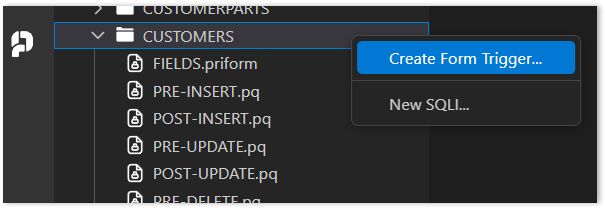
Right-click the form folder.
-
Select Create Form Trigger.
-
Enter the trigger name according to Priority naming conventions.
-
Click Confirm.
The trigger is created in Priority and opens immediately in VS Code.
Deleting a Form Trigger
-
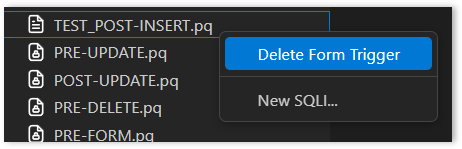
Right-click the trigger in the Environments Explorer.
-
Select Delete Form Trigger.
-
Confirm deletion.
Creating a Procedure Step
-
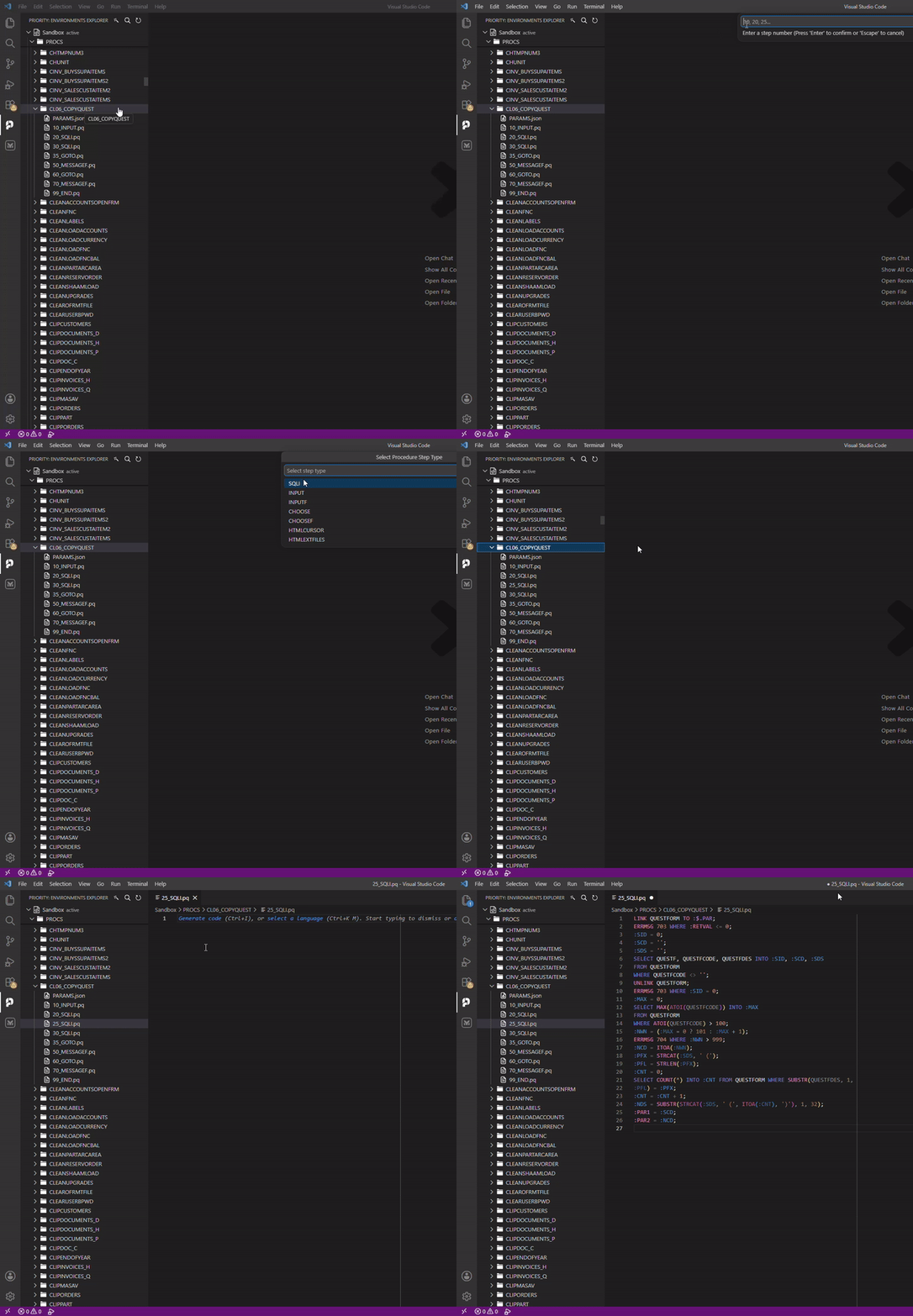
In the Environments Explorer, expand Environment > PROCS > [Procedure Name].
-
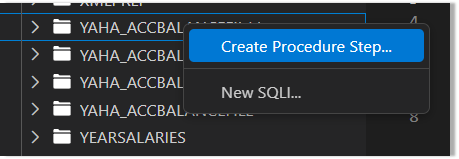
Right-click the procedure folder.
-
Select Create Procedure Step….
-
Configure the step number and step type.

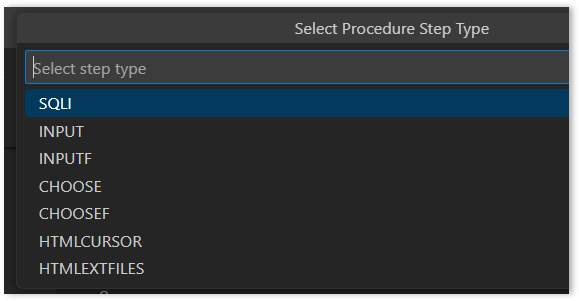
-
Confirm.
The step is added to the procedure in Priority. For SQLI steps, the file opens in VS Code immediately.
Deleting a Procedure Step
-
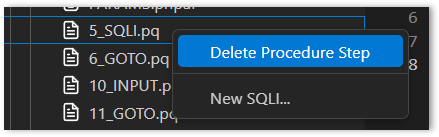
Right-click the step in the Environments Explorer.
-
Select Delete Procedure Step.
-
Confirm deletion.
Form and Procedure Preparation
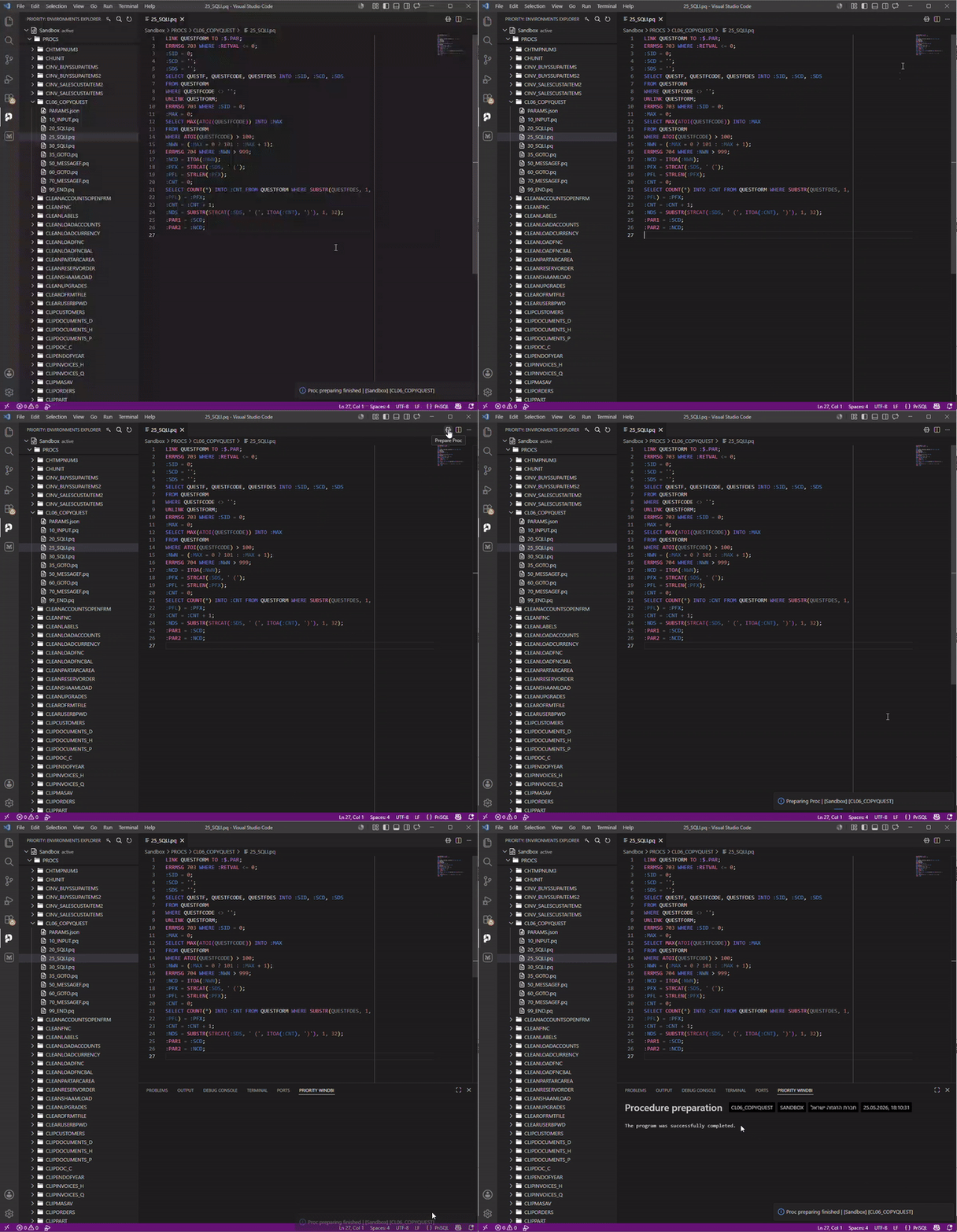
Form and procedure preparation can be run directly from VS Code.
-
Open any form file (
.priformor.pq) or procedure file (.priparor.pq). -
Click the Preparation icon in the editor toolbar.
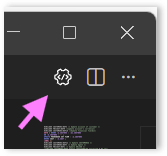
VS Code sends a preparation request to the active environment. A progress notification appears during execution.

The operation validates the form or procedure definition and rebuilds its metadata in Priority. Results appear in the output console.